LED Cube Project
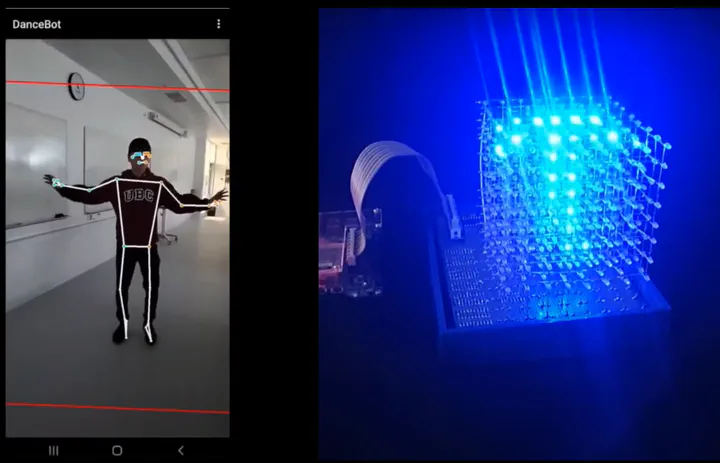
Dance Cube
This project includes a 3D 8x8x8 LED cube connected and controlled via WiFi by an Android app. In addition to animated lighting, the phone camera runs an on-device ML model for pose estimation and projects the real-time movement of the person into the cube in 3D.
Components
- UI: Android application used to control the cube.
- ESP8266: WiFi connection from the Android app to the FPGA cube driver.
- FPGA-based LED cube driver.
- LED cube hardware (custom PCB).
Features
- Turn all lights on or off.
- Loop through all 7 animations (30 seconds per animation).
- Choose a specific animation to stay on.
- Track per-user animation selections and popularity.
- Use the phone camera for real-time pose estimation and projection into the cube.
How to use
FPGA component:
- Create a Quartus project named
LED_Cube_Controller. - Add all files in the
RTLdirectory to the project. - Open
Cube_controller.qsysand generate RTL, then addCube_controller/synthesis/Cube_controller.qip. - Compile and download the design to the FPGA.
- Hook up all
GPIO_0to the GPIO extension board (ribbon recommended).
ESP8266:
- Flash NodeMCU firmware to the ESP8266.
- Copy the
.luascript from theluadirectory and add your phone hotspot credentials.
Android application:
- Build the app in Android Studio and install it on the phone.